Prepare the Python hands-on environment
Lab briefing
Original concept illustration (SVG)
| At a glance | Your route |
|---|---|
| Level and time | 100; 20 minutes (facilitation estimate) |
| Starting action | Locate the library import root before choosing a test framework. |
| Learner materials | Download 02-python.zip |
| Workspace | Open the extracted kit root; run the baseline from library relative to that root |
| Expected initial check | The existing unittest tests are discovered and pass. |
| Setup help | Download, extract, local Git and optional GitHub |
[!NOTE] A test that cannot import the application has not tested its behavior.
Concepts · First task · Evidence checklist · Reset
Learning objectives
- Select the same interpreter in VS Code and the terminal.
- Understand the fixture’s import root and test runner.
- Keep virtual environments and caches on the selected work drive.
Before you start
Read environment setup. Use a supported Python interpreter
and VS Code’s Python extension. The supplied library tests use unittest.TestCase;
pytest can execute them in the pytest lab. Do not install packages for the standard-
library baseline unless a command actually requires them.
Concepts and use cases
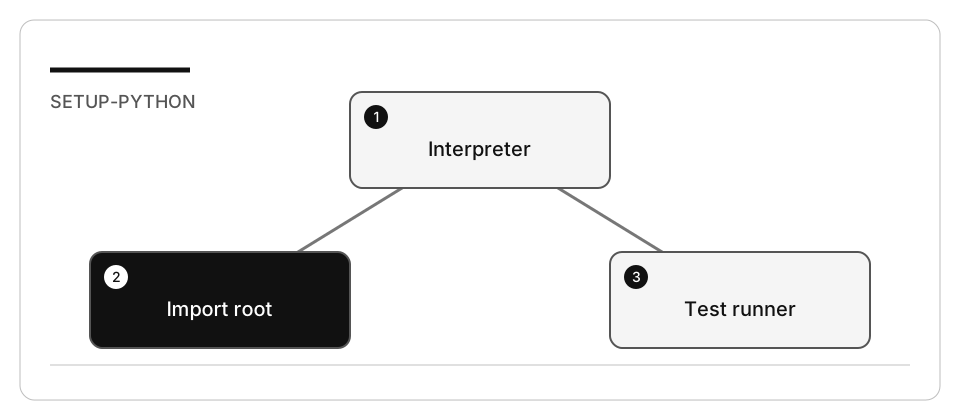
| Item | Purpose |
|---|---|
| Interpreter | Runs the code; its selection determines available packages |
| Virtual environment | Keeps this fixture’s dependencies separate |
| Working directory | Determines top-level imports and relative files |
| Test discovery | Finds cases; it is distinct from running them |
Exercise scenario
The library lives under AccelerateDevGHCopilot/library. Its imports expect
application_core, console, and infrastructure below the current import root.
Task 1 - Prepare the isolated copy
node scripts/prepare-hands-on.js --lab 02-python --destination /Volumes/T9/Dev/oss/workshop-runs/02-python
Open the printed copy alone, select the Python interpreter, then change into
library in its terminal. Record the interpreter and working directory.
Task 2 - Discover and run the existing tests
python -m unittest discover -s tests -p "test_*.py" -v
- Confirm actual test names appear.
- Record assertion results and the exit status.
- In the editor, use Python: Configure Tests and select unittest with
testsas the directory for this baseline. - If the later pytest lab is selected, create
.venvin the disposable copy, install its declared pytest requirement there, and select that interpreter. - Avoid automatic discovery across the entire curriculum; it contains independent copies with different import roots.
Check yourself
Your unittest discovery run finishes with no failures, but the verbose output lists no test names. What does that baseline prove?
Choose an answer to see why it holds or fails.
- Nothing yet: collecting zero tests is not a passing baseline, so rerun discovery from library. The working directory sets the import root, so only a run from library resolves application_core and lists real test names.
- It passes: the command returned no failures and a clean exit status, so the baseline is confirmed. No failures only means nothing failed; the lab asks you to confirm that actual test names appear before trusting the baseline.
- Imports are broken, so add sys.path entries inside the test files until application_core resolves. The lab warns against scattering sys.path changes across tests; the fix is running from the correct working root, not patching files.
Verify your work
- Terminal and editor use the intended interpreter.
- Tests are discovered from
library, not an unrelated directory. - No zero-test result is called a passing baseline.
- No package, environment or cache was created on the OS disk for this workshop.
Troubleshooting
ModuleNotFoundError: application_core usually indicates the wrong working/import
root. Do not scatter sys.path changes across tests. A missing pytest package in a
unittest baseline is not a reason to install pytest globally.
Independent practice
Compare unittest discovery with pytest collection on the same TestCase classes.
Explain why selecting both frameworks in VS Code does not mean both ran.
Reset
Close the copied workspace and restore only preferences changed for it. Keep shared interpreters and other projects’ virtual environments intact.