Build a bounded Copilot SDK application
An agent embedded in an application is different from the development assistant used to author it. Tool arguments, identity, permissions, timeout, cleanup and error handling are application contracts, not prompt-writing details.
Lab briefing
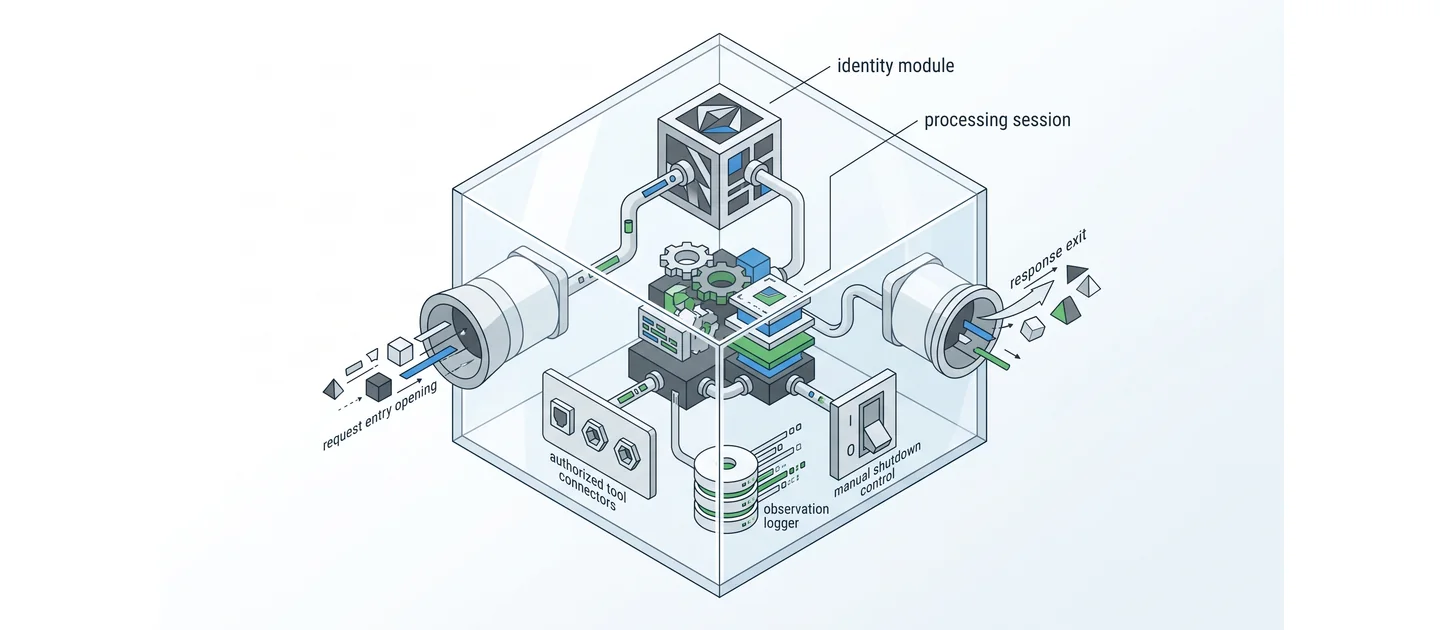
Original concept illustration (SVG)
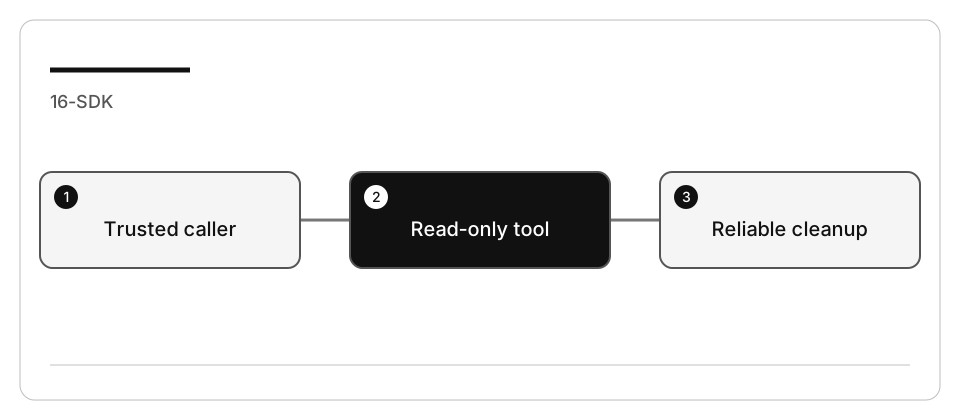
| At a glance | Your route |
|---|---|
| Level and time | 300; 90 minutes (facilitation estimate) |
| Starting action | Keep actor identity outside model-supplied tool arguments. |
| Learner materials | Download 16-sdk.zip |
| Workspace | Open the extracted kit root; run the baseline from . relative to that root |
| Expected initial check | The supplied baseline tests pass. |
| Setup help | Download, extract, local Git and optional GitHub |
[!NOTE] Offline doubles test the application; they do not evaluate a model.
Concepts · First task · Evidence checklist · Reset
Learning objectives
- Test a real tool handler and session orchestration without a model.
- Keep caller identity outside model-supplied tool arguments.
- Restrict tools and explicitly reject additional permission requests.
- Separate offline test evidence from optional authenticated SDK execution.
Before you start
Complete SDK setup and prepare 16-sdk
using the work-drive guide.
The integrated Node fixture pins @github/copilot-sdk to 1.0.13, whose tagged
API was checked on 2026-09-07. This is a reproducible reference, not a claim that it
will always be the newest package.
No Blazor app, LocalDB, test password, real customer order, payment or email service is required. Those would introduce separate identity and side-effect contracts.
Concepts and use cases
| Boundary | Responsibility |
|---|---|
| Application caller | Establish trusted actor identity |
| Tool handler | Validate input and return only that actor’s allowed records |
| SDK session | Expose only the named custom tool |
| Permission handler | Reject extra operations rather than approving everything |
| Lifecycle | Close the session and stop the client on success and failure |
| Offline test double | Exercise application behavior; it is not a model evaluation |
Exercise scenario
A support assistant can look up synthetic order status for one fixture actor.
It cannot initiate a refund, send an email, read arbitrary files, or trust a
userId supplied in the model’s tool arguments.
---
config:
  theme: base
  look: classic
  themeVariables:
    darkMode: false
    background: "#ffffff"
    primaryColor: "#f5f5f5"
    primaryTextColor: "#111111"
    primaryBorderColor: "#555555"
    secondaryColor: "#e0e0e0"
    secondaryTextColor: "#111111"
    secondaryBorderColor: "#666666"
    tertiaryColor: "#bdbdbd"
    tertiaryTextColor: "#111111"
    tertiaryBorderColor: "#444444"
    lineColor: "#444444"
    textColor: "#111111"
    mainBkg: "#f5f5f5"
    nodeBorder: "#555555"
    clusterBkg: "#ffffff"
    clusterBorder: "#999999"
    edgeLabelBackground: "#ffffff"
    actorBkg: "#e0e0e0"
    actorBorder: "#555555"
    actorTextColor: "#111111"
    actorLineColor: "#777777"
    signalColor: "#333333"
    signalTextColor: "#111111"
    labelBoxBkgColor: "#f5f5f5"
    labelBoxBorderColor: "#777777"
    labelTextColor: "#111111"
    loopTextColor: "#111111"
    activationBkgColor: "#bdbdbd"
    activationBorderColor: "#555555"
    noteBkgColor: "#f5f5f5"
    noteTextColor: "#111111"
    noteBorderColor: "#777777"
    attributeBackgroundColorOdd: "#f5f5f5"
    attributeBackgroundColorEven: "#e0e0e0"
---
sequenceDiagram
    accTitle: Support assistant application and tool boundary
    accDescr: The application supplies trusted identity, opens a restricted SDK session, and the custom lookup validates ownership before returning a record.
    participant Caller
    participant Application
    participant Session as SDK session
    participant Tool as Read-only lookup
    Caller->>Application: Question and trusted actor
    Application->>Session: Create restricted session
    Session->>Tool: lookup_order(orderId)
    Tool-->>Session: Allowed record or explicit error
    Session-->>Application: Assistant message or failure
    Application-->>Caller: Validated response or surfaced error
    Application->>Session: Disconnect in cleanup
Legend. Solid arrows are calls; dashed arrows are returns. The lookup receives only an order ID; trusted identity is captured by the application, not chosen by the model. The final call represents cleanup, not another user request.
Explanation. This contract prevents an unrestricted tool from becoming an authority escalation. The offline tests drive the same orchestration with a fake client; only an explicitly labeled live run exercises the real SDK/runtime.
Task 1 - Inspect and run the offline baseline
-
Read
catalog.mjs,app.mjs,app.test.mjs,live.mjs, and the package manifest. -
Run without installing the SDK:
node --test --test-concurrency=1 app.test.mjs -
Record what the tests prove: tool ownership, missing/invalid input, denial policy, timeout propagation and cleanup.
-
They do not prove model answers, account entitlement or cloud availability.
Task 2 - Explain tool and identity design with Ask
Trace lookup_order and its captured actor. What data can the model supply?
What prevents it from requesting another actor's order? Explain the permission
policy and why a missing tool result must not become a success-shaped answer.
Do not make a live model request.
Verify that order-not-found and unauthorized ownership share an intentional not-available outcome. Do not disclose another actor’s data in an error.
Task 3 - Plan a bounded extension
Add a local formatting improvement or another read-only field already present in the fixture. The plan must preserve:
- exact ownership boundary and argument validation;
- no writes, shell, network tools or arbitrary filesystem access;
- explicit error propagation and cleanup;
- unit tests for the new behavior.
Do not implement the original lesson’s automatic refunds or email fallback. A write tool requires separate confirmation, idempotency, audit and rollback design.
Task 4 - Implement and validate offline
- Ask Agent to implement only the approved extension.
- Run
app.test.mjs. - Deliberately remove the ownership check and confirm the cross-actor case fails.
- Restore it and inject a controlled
sendAndWaiterror. Confirm cleanup runs and no success content is returned. - Compare the diff with the plan before any live invocation.
Task 5 - Optional authenticated SDK run
-
In the disposable copy, install only the pinned SDK dependency:
npm install -
Review the pinned API references below and the tool/permission configuration.
-
live.mjskeeps runtime data inside the copied workspace and usesmode: "empty". Authenticate through the approved SDK/CLI flow for that runtime; editor access alone does not prove this application’s identity. -
Run one bounded request:
node live.mjs "What is the status of order ORD-1?" -
Record the actual response, invoked tools, errors and cleanup. If the runtime asks for an additional permission, this example rejects it; do not bypass policy.
-
Mark live execution as not performed if access or policy is unavailable.
Check yourself
lookup_order must return records for one actor only. In this lab, what enforces that boundary?
Choose an answer to see why it holds or fails.
- Accepting a userId in the tool arguments and validating that value inside the handler. A userId supplied in the model arguments is model output, not proof of identity, so it can still name another actor.
- The application captures the trusted actor and the tool validates ownership before returning a record. The lookup receives only an order ID, so the model cannot choose whose data comes back; the handler checks ownership against the captured actor.
- Denying extra permission requests during the session, which blocks access to other actors. Rejecting extra operations blocks new capabilities, but it does not decide which records the tool that is already allowed returns.
Verify your work
- Offline tests call actual application/tool code.
- Actor identity is not accepted from tool arguments.
- Unknown, unauthorized and malformed requests return explicit errors.
- Extra permission requests are denied.
- Session/client cleanup is observed after both success and failure.
- Live/model evidence, if any, is labeled separately from offline evidence.
Troubleshooting
| Symptom | Action |
|---|---|
| SDK not installed | Offline tests still work; install only for the live step |
| Editor access works but live auth fails | Check the application’s runtime identity separately |
| Tool request rejected | Inspect the exact operation; do not use blanket approval |
| No message returned | Surface an error; do not print undefined as a successful answer |
| Cleanup fails | Report the cleanup failure rather than masking it |
Independent practice
Design a two-step return workflow: a read-only proposal, then a separate authenticated, confirmed, idempotent write. Specify authorization, duplicate requests, partial failure, audit and retry limits. Do not execute real refunds or emails.
For .NET, map the same contract to its current SDK session and disposal APIs. A Blazor front end must never provide the trusted owner directly from an arbitrary form. This adaptation is proposed until you build and test it.
Reset
Stop the live process in its owning terminal. Revoke any exercise-only authentication, save redacted evidence, and remove only the copied workspace/runtime data when finished. Do not remove shared Copilot profiles or another project’s credentials.