Rehearse secret remediation safely
Deleting a leaked credential from the latest file does not revoke it or remove it from history. The credential provider is the authority on validity.
[!CAUTION] Never create or commit a real token for this exercise. Do not bypass push protection, publish an intentionally vulnerable repository, or paste secret values into Copilot. The core lab is a simulation and contacts no provider.
Lab briefing
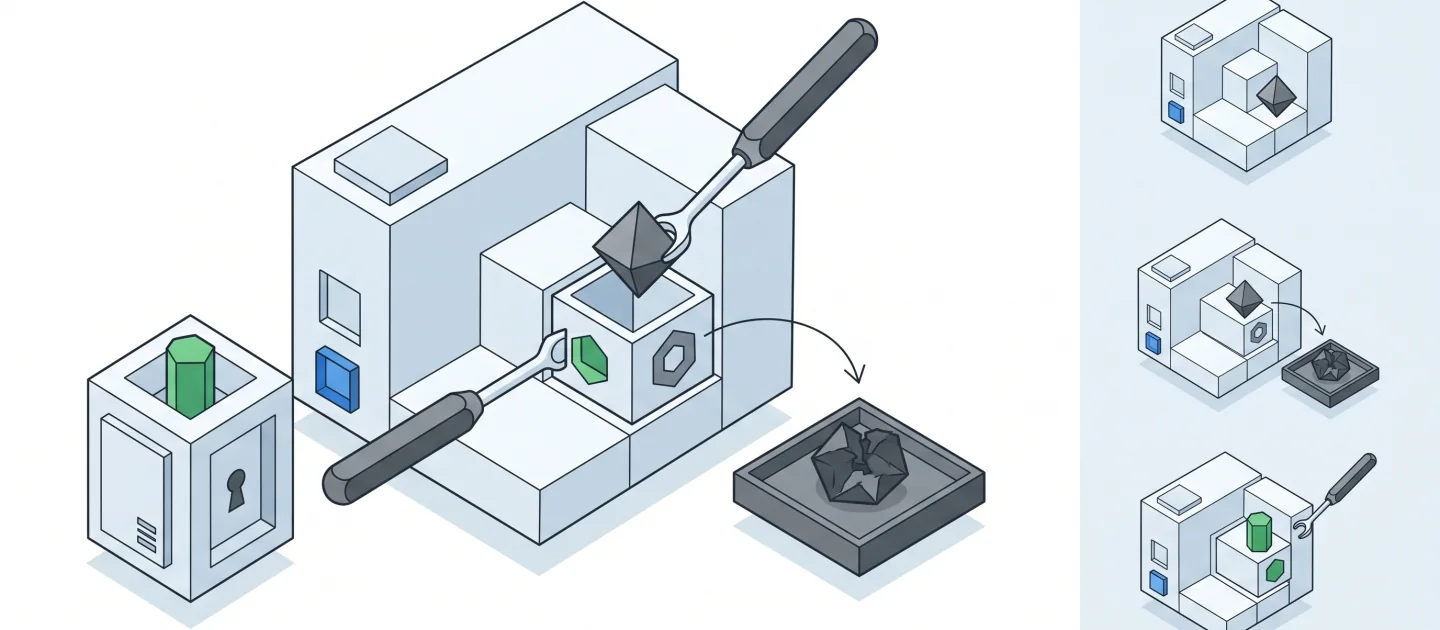
Original concept illustration (SVG)
| At a glance | Your route |
|---|---|
| Level and time | 300; 45 minutes (facilitation estimate) |
| Starting action | Use only the training marker and distinguish simulation from provider action. |
| Learner materials | Download 12-secrets.zip |
| Workspace | Open the extracted kit root; run the baseline from . relative to that root |
| Expected initial check | The supplied baseline tests pass. |
| Setup help | Download, extract, local Git and optional GitHub |
[!NOTE] Removing a literal does not revoke its authority.
Concepts · First task · Evidence checklist · Reset
Learning objectives
- Separate triage, revocation, code remediation, exposure review, and prevention.
- Use evidence to justify closing an alert.
- Recognize what a local simulation cannot prove.
Before you start
Prepare 12-secrets with the common setup.
Node 24 is enough. Private-repository secret scanning depends on plan and policy;
do not make a repository public to enable a lab feature.
Concepts and use cases
| Action | Establishes | Does not establish |
|---|---|---|
| Remove a literal | Current file no longer contains it | Provider revocation |
| Revoke/rotate with the owner | Old credential loses authority | No past unauthorized access occurred |
| Review exposure/history | Scope of exposure and dependent consumers | Automatic deletion of every remote copy |
| Close an alert | A documented disposition | Safety if no mitigation was performed |
| Push protection | Prevention for supported patterns | Detection of every possible secret |
Exercise scenario
The fixture describes a simulated service token exposure using only the value
TRAINING_ONLY_NOT_A_CREDENTIAL. It deliberately contains no live token or provider-
formatted credential. Your output is an incident-response plan, not a claim that
GitHub detected or revoked anything.
Task 1 - Read the incident and establish scope
-
Inspect
incident.jsonandresponse.json. -
Identify owner, hypothetical affected consumer, exposure scope, and missing evidence.
-
In Ask:
This is a simulation with no real credential. Draft the triage questions: owner, provider, exposure locations, validity, dependent consumers, and possible misuse. Do not request or print a token value. -
Keep unverified facts labeled as questions.
Task 2 - Plan revocation-first remediation
Use this sequence:
---
config:
  theme: base
  look: classic
  themeVariables:
    darkMode: false
    background: "#ffffff"
    primaryColor: "#f5f5f5"
    primaryTextColor: "#111111"
    primaryBorderColor: "#555555"
    secondaryColor: "#e0e0e0"
    secondaryTextColor: "#111111"
    secondaryBorderColor: "#666666"
    tertiaryColor: "#bdbdbd"
    tertiaryTextColor: "#111111"
    tertiaryBorderColor: "#444444"
    lineColor: "#444444"
    textColor: "#111111"
    mainBkg: "#f5f5f5"
    nodeBorder: "#555555"
    clusterBkg: "#ffffff"
    clusterBorder: "#999999"
    edgeLabelBackground: "#ffffff"
    actorBkg: "#e0e0e0"
    actorBorder: "#555555"
    actorTextColor: "#111111"
    actorLineColor: "#777777"
    signalColor: "#333333"
    signalTextColor: "#111111"
    labelBoxBkgColor: "#f5f5f5"
    labelBoxBorderColor: "#777777"
    labelTextColor: "#111111"
    loopTextColor: "#111111"
    activationBkgColor: "#bdbdbd"
    activationBorderColor: "#555555"
    noteBkgColor: "#f5f5f5"
    noteTextColor: "#111111"
    noteBorderColor: "#777777"
    attributeBackgroundColorOdd: "#f5f5f5"
    attributeBackgroundColorEven: "#e0e0e0"
---
stateDiagram-v2
    accTitle: Simulated secret-remediation lifecycle
    accDescr: Triage leads to owner-coordinated revocation, consumer repair, exposure review and prevention before a documented closure.
    [*] --> Triage
    Triage --> Revoke: Coordinate with credential owner
    Revoke --> Replace: Update affected consumers safely
    Replace --> ReviewExposure: Inspect history and access evidence
    ReviewExposure --> Prevent: Add safeguards and verification
    Prevent --> Close: Record the disposition
    Close --> [*]
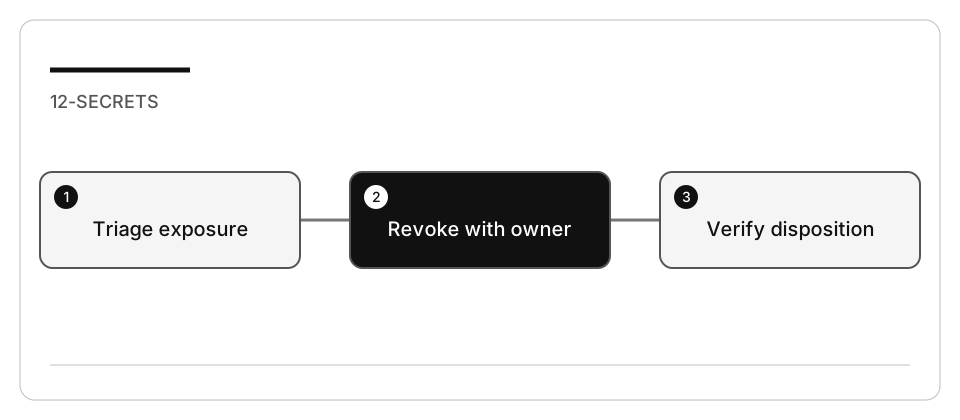
Legend. Rounded nodes are response stages, arrows show their order, and filled circles indicate the start/end of the exercise. Labels describe the evidence gate.
Explanation. The sequence prevents “delete the string and close the alert” from counting as remediation. In a real incident, revocation and consumer coordination follow the owner’s incident process; this diagram does not execute those operations.
- Add the six stage IDs from the fixture to
response.jsonin the reviewed order. - For each, state the evidence that would be required.
- Include an interruption plan for affected consumers. Never log the replacement.
- Propose only a scoped code change: read a named configuration value, fail clearly if it is absent, and avoid a hardcoded “development” fallback.
Task 3 - Verify the plan, not a fabricated incident
node --test --test-concurrency=1 policy.test.mjs
node verify.mjs
The policy tests should pass. The response verifier rejects the blank starter; after completion it validates stage order and evidence descriptions only.
Then temporarily place closure before revocation. Confirm the verifier fails, and restore the correct plan.
Task 4 - Optional authorized GitHub inspection
If you already own a repository with legitimate alerts and are authorized to inspect them, review the Security tab and record only redacted metadata. Do not create an alert by leaking a token. Keep provider actions manual and separately approved. Use current documented alert reasons; do not dismiss a real secret as “used in tests.”
If Actions, billing, or policy blocks the feature, the simulation remains usable. Record “GitHub/provider operations not executed” in the evidence.
Check yourself
Your plan removes the literal and the latest commit is clean. What does that alone establish?
Choose an answer to see why it holds or fails.
- Only that the current file no longer holds it; the credential keeps authority until the owner revokes it. The lab states that deleting a credential from the latest file does not revoke it or remove it from history; the provider decides validity.
- The token is effectively dead, since nothing in the repository references it any more. A clean latest commit does not prove the history is clean, and no repository edit reaches the provider that still accepts the credential.
- Enough to close the alert as remediated, since push protection blocks any attempt to push it again. Closing an alert records a documented disposition, not safety when no mitigation ran, and push protection covers supported patterns only.
Verify your work
- No credential was generated, committed, printed, or sent to a model.
- The response separates revocation, replacement, history/exposure and prevention.
- Closing an alert requires evidence rather than absence of a literal.
- A reordered response fails locally.
- Simulation results are not presented as provider or GitHub verification.
Troubleshooting
No GitHub alert for the training marker is expected. A clean latest commit does not prove history is clean. Do not rewrite shared Git history or remove someone else’s credential without the owner-approved incident process.
Independent practice
Write a deployment checklist for replacing a revoked secret without exposing the replacement in logs. Use placeholders and no real infrastructure.
Reset
Restore only response.json in your copy. Close the learning session. There are no
credentials, repositories, paid services, or cloud resources to remove in the core lab.