Modernize an existing order ledger with Spec Kit
Modernization changes technical structure while preserving a declared business contract. Unlike greenfield work, success is not “the new application runs.” Unlike a brownfield feature, the goal here is not new business behavior.
Lab briefing
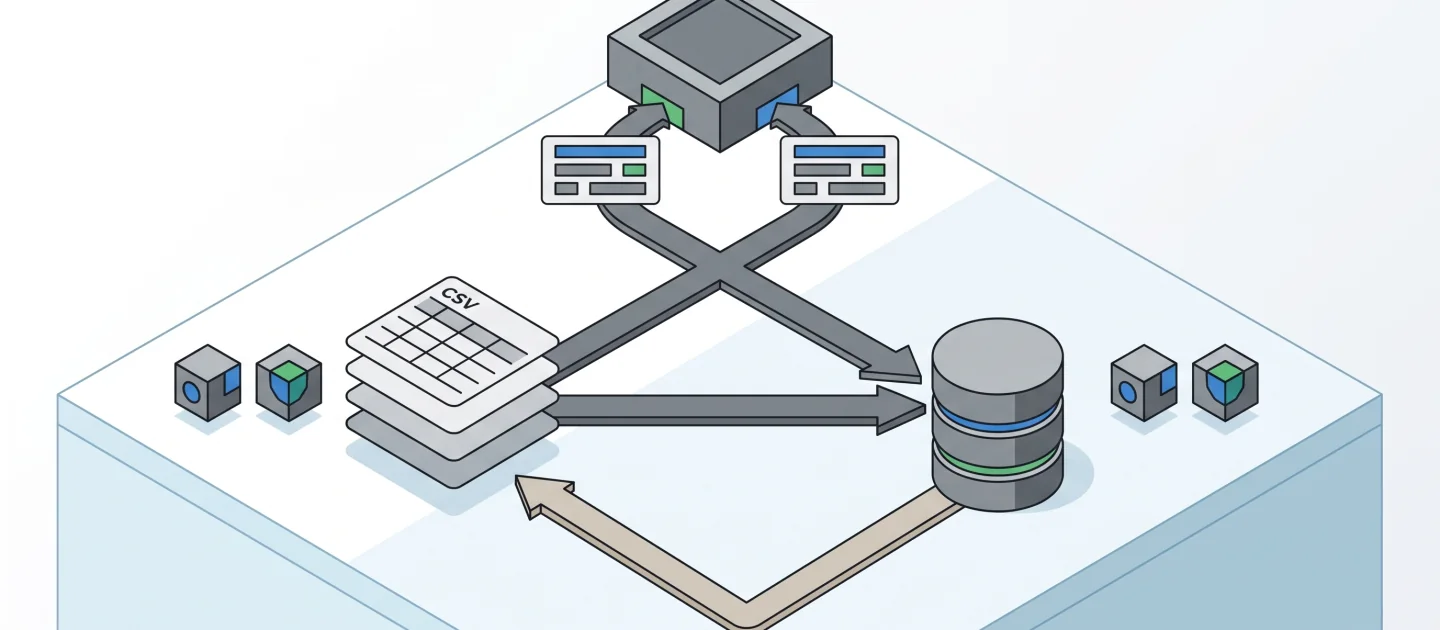
Original concept illustration (SVG)
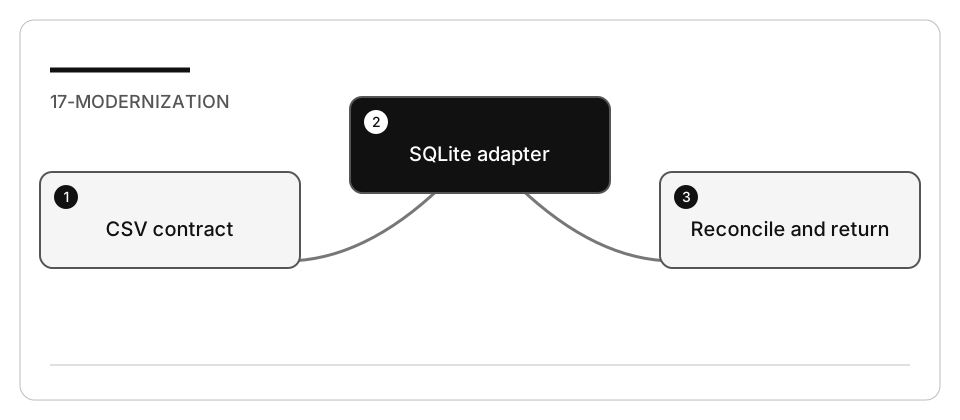
| At a glance | Your route |
|---|---|
| Level and time | 400; 100 minutes (facilitation estimate) |
| Starting action | Verify counts, exact integers, non-overwrite and CSV rollback. |
| Learner materials | Download 17-modernization.zip |
| Workspace | Open the extracted kit root; run the baseline from . relative to that root |
| Expected initial check | The CSV characterization tests pass. The separate modernization suite intentionally fails until implementation. |
| Setup help | Download, extract, local Git and optional GitHub |
[!NOTE] A created database is not proof of complete, compatible migration.
Concepts · First task · Evidence checklist · Reset
Learning objectives
- Freeze a public contract before changing storage.
- Trace compatibility requirements through Spec Kit artifacts and tests.
- Reconcile imported counts, totals, order and schema version.
- Verify rejection of bad data and a practical rollback.
Before you start
Complete Spec Kit setup.
Prepare 17-modernization using the work-drive setup.
Use Python’s standard library and SQLite: no server, pip dependency, container,
cloud resource, or production database is required.
Concepts and use cases
| Case | Main question | This exercise |
|---|---|---|
| Greenfield | What should we build? | Already answered by legacy behavior |
| Brownfield feature | What new behavior do we add? | None in this migration |
| Modernization | What technical boundary changes without breaking consumers? | CSV storage becomes opt-in SQLite |
| Cutover | When do consumers use the new path? | Only when --backend sqlite is selected |
| Rollback | Can the old path still work? | CSV stays default and its bytes remain unchanged |
Exercise scenario
An operator depends on service.py returning one JSON object containing sorted
orders and integer-cent totals. Replace storage without changing keys, ordering,
customer filtering, or the default CSV path.
The local fixture contains:
| File | Responsibility |
|---|---|
legacy.py |
Frozen CSV validation and summary contract |
service.py |
Compatibility CLI and explicit backend selection |
order_store.py |
Incomplete SQLite reader |
migrate.py |
Incomplete validated import |
test_legacy.py |
Existing behavior |
test_modernization.py |
New storage/data/rollback gates |
data/orders.csv |
Three synthetic records; no real transactions |
Task 1 - Characterize before changing anything
-
Read
requirements.mdandlegacy.py. -
Run from the prepared fixture root:
python -m unittest test_legacy -v python service.py --source data/orders.csv python service.py --source data/orders.csv --customer C-01 -
Confirm a total of 6249 cents overall and 3250 cents for
C-01. These are deterministic fixture values, not a performance claim. -
Record source hash, output shape, order, exit codes and error stream behavior.
-
Run
python -m unittest test_modernization -v; the incomplete implementation must fail. Do not weaken these tests to obtain a green baseline.
Task 2 - Specify preservation and change separately
Initialize only the disposable copy. Then:
/speckit-constitution Preserve the JSON CLI contract in requirements.md.
Do not modify legacy.py or baseline assertions. Keep CSV as default. Use no
network or real data. Require validated migration, non-overwrite, reconciliation,
explicit errors and a tested rollback before selecting SQLite.
/speckit-specify Modernize CSV storage to SQLite without changing business behavior.
Implement migrate.py and order_store.py for MOD-1 through MOD-6. Preserve source
bytes, record order, integer cents, customer filtering and CLI output.
Use /speckit-clarify to settle malformed rows, duplicate IDs, reruns, missing
databases, existing targets, and failures mid-import.
Task 3 - Model the storage boundary
---
config:
  theme: base
  look: classic
  themeVariables:
    darkMode: false
    background: "#ffffff"
    primaryColor: "#f5f5f5"
    primaryTextColor: "#111111"
    primaryBorderColor: "#555555"
    secondaryColor: "#e0e0e0"
    secondaryTextColor: "#111111"
    secondaryBorderColor: "#666666"
    tertiaryColor: "#bdbdbd"
    tertiaryTextColor: "#111111"
    tertiaryBorderColor: "#444444"
    lineColor: "#444444"
    textColor: "#111111"
    mainBkg: "#f5f5f5"
    nodeBorder: "#555555"
    clusterBkg: "#ffffff"
    clusterBorder: "#999999"
    edgeLabelBackground: "#ffffff"
    actorBkg: "#e0e0e0"
    actorBorder: "#555555"
    actorTextColor: "#111111"
    actorLineColor: "#777777"
    signalColor: "#333333"
    signalTextColor: "#111111"
    labelBoxBkgColor: "#f5f5f5"
    labelBoxBorderColor: "#777777"
    labelTextColor: "#111111"
    loopTextColor: "#111111"
    activationBkgColor: "#bdbdbd"
    activationBorderColor: "#555555"
    noteBkgColor: "#f5f5f5"
    noteTextColor: "#111111"
    noteBorderColor: "#777777"
    attributeBackgroundColorOdd: "#f5f5f5"
    attributeBackgroundColorEven: "#e0e0e0"
---
erDiagram
    accTitle: Order ledger storage contract
    accDescr: A conceptual customer owns many orders. SQLite stores order records with a primary ID, customer identifier, integer cents and an allowed status.
    CUSTOMER ||--o{ ORDER : identifies
    CUSTOMER {
        string id
    }
    ORDER {
        string id PK
        string customer
        int total_cents
        string status
    }
Legend. Entity boxes list fields. The crow’s-foot edge means one customer
identifier can appear on many orders. PK marks the order identifier.
Explanation. CUSTOMER is conceptual, not a required new table or foreign key.
The actual lab migrates only the orders table and sets PRAGMA user_version = 1.
Adding a customer service would expand scope and risk changing behavior.
total_cents is logically an integer. The reference stores validated decimal text
because SQLite’s integer and SUM range is narrower than Python’s accepted values;
it converts back to Python integers for JSON and exact reconciliation.
Task 4 - Plan a reversible migration
/speckit-plan Use Python sqlite3 and standard-library unittest. Validate every
CSV record before import. Refuse any existing target. Create a constrained orders
schema, insert with parameterized statements in a transaction, reconcile count
and integer total without narrowing Python integer precision, and close resources.
Open query databases read-only and never
create one on a missing-file read. Keep source CSV unchanged for rollback.
Review how the implementation distinguishes:
- refusing an existing target from cleaning up its own failed new target;
- successful import from a partial database;
- source data validation from SQLite constraints;
- parameterized values from executable SQL;
- storage representation from the public JSON integer contract, including totals beyond signed 64-bit range;
- a local process exception from crash/power-loss durability.
The fixture is not a production migration service. Document crash-recovery and concurrent-writer limitations rather than claiming they are covered.
Task 5 - Implement through evidence gates
-
Run
/speckit-tasksand/speckit-analyze. -
Map each MOD requirement to implementation and its test.
-
Implement one boundary at a time; do not change the frozen public contract.
-
Run:
python -m unittest test_legacy test_modernization -v python migrate.py --source data/orders.csv --target orders.db python service.py --backend sqlite --source orders.db --customer C-01 -
Compare CSV and SQLite JSON exactly. Inspect count and total, not only file existence.
-
Run the same migration again. It must fail without overwriting
orders.db. -
Use the default CSV command again to prove rollback without deleting the source.
-
Run
/speckit-convergefor cross-artifact review. Limit repair attempts and inspect real test output before accepting convergence.
Check yourself
Before you record your evidence: what actually proves that the SQLite migration preserved the contract?
Choose an answer to see why it holds or fails.
- Compare the SQLite and CSV JSON exactly: count 3, total 6249, ordering and schema version 1. The operator consumes that JSON, so an exact match on count, total, ordering and version is the real proof.
- orders.db was created and migrate.py finished without errors, so the storage move is complete. The lab states that a created database is not proof of complete, compatible migration; a partial or reordered import also leaves a file.
- Running migrate.py again rebuilds orders.db, which shows the import is repeatable. The lab requires the rerun to fail without overwriting orders.db, and MOD-4 keeps any existing target byte for byte.
Verify your work
- MOD-1: original characterization remains green.
- MOD-2: count 3, total 6249, ordering and schema version 1 match.
- MOD-3: malformed/duplicate input returns nonzero and leaves no successful partial target.
- MOD-4: reruns preserve any existing target byte-for-byte.
- MOD-5: reading a missing database does not create it.
- MOD-6: CSV fallback and source hash are unchanged.
- No business feature, real customer data, or cloud infrastructure was added.
Stack adaptations
| Stack | Similar modernization | Required equivalent evidence |
|---|---|---|
| Python / SQLite | Executable primary path here | Supplied baseline and migration suite |
| .NET 10 | CSV adapter to Microsoft.Data.Sqlite |
Same JSON consumer tests plus provider/package review |
| TypeScript / Node | CSV adapter to SQLite supported by the selected Node release | Same ordering, integer, rollback and overwrite gates |
| Java | JDBC storage adapter behind an existing service | Existing Java contract tests and a migration fixture |
The alternatives are guided designs, not executed claims. Compare API, transaction, error and packaging differences before implementation. Do not select a new framework solely because an assistant can generate it.
Troubleshooting
If results match only after sorting one side differently, you may have changed the contract. If an invalid row leaves a partial database, inspect validation and cleanup. If a missing read creates a file, review connection mode. If tests fail only on rerun, inspect the non-overwrite gate rather than deleting the existing target.
Independent practice
Propose a schema-v2 change that adds a nullable column while an older reader remains active. Define version negotiation, forward/backward compatibility, migration idempotence, rollback and retirement criteria before coding.
Reset
Stop only the CLI process you started. Save hashes and output, then remove only the
generated orders.db in the disposable copy after inspecting its path. Restore
migrate.py and order_store.py from the local baseline or prepare a fresh copy.
Never overwrite data/orders.csv as a reset technique.